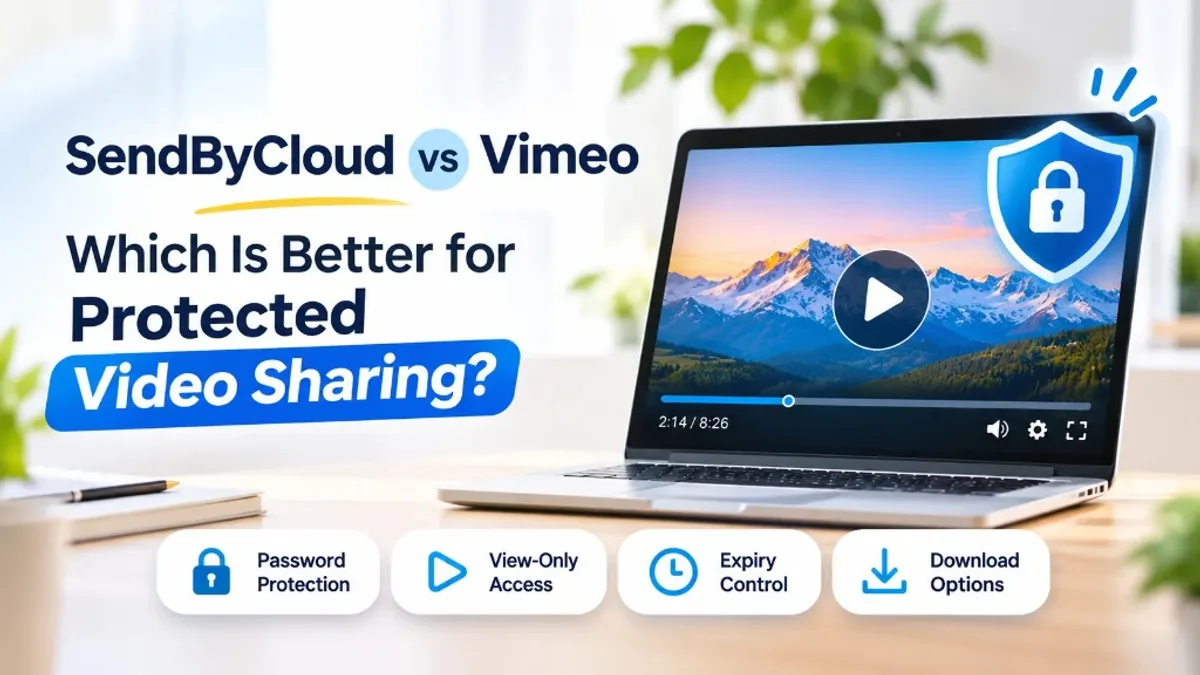
A private video link and a protected video aren't necessarily the same thing.
You might have a recording from your phone that you want to share with family, or a finished video that needs to reach a client. Either way, you probably don't want the file floating around without knowing who can access it. And while some people only need to watch the video, others may need to download the original.
Vimeo and SendByCloud both offer ways to share videos, but there's a difference in how they handle these everyday requirements.
Vimeo is known for video hosting, streaming and review tools. SendByCloud is built around file delivery, with browser previews and controls that help you manage access to shared files.
Video Hosting and File Delivery: Why It Matters
Vimeo gives creators and businesses a place to keep their videos online. You can build a portfolio, embed videos on a website, manage a collection of content or invite people to review your work.
Those features make sense when videos are something you regularly publish, present or collaborate on.
But consider a different situation.
You've finished editing a video and the client is waiting for the final file. Or perhaps you've recorded an event and want to share it with a few friends. You don't necessarily need a video page or an online library. You just want the recording to reach the right people.
SendByCloud handles that through a transfer link. Upload the file, choose the settings and send the link. The recipient can preview supported videos in their browser and download the original file when you've enabled that option.
You can include documents, photographs and other supporting files in the same transfer, too.
That distinction is worth understanding before comparing the privacy settings. Sharing a video for someone to watch and delivering a file for someone to keep can involve different requirements.
1. Who can access your video?
Vimeo offers several privacy settings, including Private, Unlisted and Password.
An Unlisted video doesn't appear in public search results, but someone with the correct link can open it. A password-protected video requires viewers to enter a password before watching. Both of these settings require a paid Vimeo plan.
The Free plan includes a Private setting, although that limits viewing to the account owner and authorized team members.
There's another option worth mentioning: Vimeo's Free plan allows one review link per video. You can share that link with people outside your account, even when the video's usual privacy settings would otherwise restrict access. Review-link passwords, however, require a paid subscription.
Vimeo explains these differences in its privacy settings and review-link documentation.
How SendByCloud handles it
SendByCloud lets you password-protect a transfer link before sharing it.
The recipient simply opens the link and enters the password. They don't have to register for a SendByCloud account to access the files.
You could share a link through email and send the password separately through a message. It's a straightforward way to add an access check when you're sharing a personal recording, client work or another file you don't want openly accessible.
2. Can someone watch without downloading?
Vimeo's video player is designed for online viewing, and video owners can decide whether downloads are available. Its review links also allow download permissions to be controlled.
For someone reviewing a video, that's useful. They can watch the content without necessarily being given a downloadable copy.
SendByCloud has a similar viewing option, although it works within a file transfer rather than a hosted video page.
Its view-only setting allows recipients to watch supported videos in their browser without the normal download option.
A video editor, for instance, might share an unfinished cut for review and provide the final downloadable file only after changes are complete.
There's an important limitation with both approaches. Disabling downloads doesn't prevent someone from recording their screen. View-only settings control the usual download route, not every possible way a video could be copied.
3. What happens when the link is no longer needed?
Vimeo supports expiring review links. Even Free accounts can set an expiration date, up to one month ahead, for their available review link.
This is helpful when a video is being shared for a specific review period rather than indefinitely.
SendByCloud treats expiry as part of the file-transfer process. Once a transfer expires, the link becomes unavailable and the uploaded files are deleted. You can also delete a transfer manually before its scheduled expiry.
For a limited handoff, there's a one-time-download option.
It allows one successful download of the entire transfer. If the download is interrupted before completion, the recipient can retry while the link remains active.
That doesn't stop someone from forwarding an active link or sharing a copy they've already downloaded. What it does is limit further downloads through the transfer after the permitted download has been completed.
For files that only need to be delivered once or kept available for a short period, these are useful controls to have.
4. Will the recipient get the original video?
This is one of the more important differences, especially when video quality matters.
Vimeo supports downloads when the video owner allows them. But the file someone downloads isn't necessarily the original source file.
Vimeo's source-file documentation explains that permanently retaining original uploads requires an eligible paid plan. Source-file storage also needs to be enabled before uploading, and turning it on later won't recover files that have already been removed.
With SendByCloud, the original uploaded file is what the recipient receives when downloads are allowed.
That can matter whether you're passing along a high-resolution recording from your phone, sending footage for editing or handing a completed video project to a client.
Watching a Large Video Before Downloading It
Not everyone wants to save a large recording immediately.
If you've received a video on your phone, you might prefer to watch it first. Perhaps you're short on storage, or you simply want to check whether it's the right file.
Vimeo handles online viewing through its hosted player, which supports high-quality video playback.
With SendByCloud, the recipient can open the transfer link, click Preview and start watching a supported video in the browser once the preview is ready.
They don't need to download the complete recording first.
If downloads are permitted, the original file can be saved from the same transfer afterwards.
This is a convenient arrangement when different recipients have different needs. Some may only want to watch, while others need the file for their own use.
Naturally, playback depends on the internet connection, device and video format. In-browser streaming makes the viewing process easier, but it cannot guarantee uninterrupted playback in every situation.
If you're particularly concerned about file quality, our guide on sending large videos without losing quality covers that topic in more detail.
So, Which One Should You Choose?
The better choice depends on what you plan to do with the video.
Vimeo makes more sense for:
- Video portfolios and websites. You need somewhere to host videos, present your work and embed content online.
- Projects that involve feedback. Time-coded comments help people review particular moments in a video and discuss changes.
- Ongoing video management. You regularly publish content or maintain a collection of videos that people need to revisit.
SendByCloud makes more sense for:
- Everyday sharing. You want to send a personal recording to friends or family, with the option to preview it online.
- Client deliveries. You're sending finished video files, perhaps alongside images, documents or other project assets.
- Temporary transfers. You want access to be limited by the delivery settings rather than keeping the file available as part of a video library.
A quick note on free plans
Vimeo changed its storage structure in October 2026. Under its new Free plan, public videos with embedding disabled have unlimited storage, while non-public and embeddable videos count toward a separate 3 GB Managed storage allowance. Some older accounts have different limits.
You can read the details in Vimeo's official plan documentation.
SendByCloud's free usage works differently because it's designed for temporary file transfers rather than ongoing video hosting. The available allocation and expiry depend on whether you're sharing as a guest or registered user.
Before uploading a large file, check the current limits for the kind of sharing you're planning.
The Bottom Line
Vimeo is a sensible choice for hosting videos, presenting work and collecting detailed feedback.
SendByCloud is worth considering when you want to send a large recording privately, let someone watch it online and deliver the original file with access controls suited to the handoff.
If that's what you need, explore SendByCloud's video-sharing options.
Related guides
Frequently asked questions
Can recipients watch a SendByCloud video without downloading it?
Yes. Supported videos can be opened with Preview in the browser. Playback quality depends on the recipient’s connection, device and format.
Can I password-protect a video transfer?
Yes. You can password-protect the transfer link before sharing. Recipients enter the password on the link — they do not need a SendByCloud account.
Does SendByCloud deliver the original uploaded video?
When downloads are allowed, recipients receive the original uploaded file — not a re-encoded host copy.
Is view-only the same as making a video impossible to copy?
No. View-only removes the normal download button, but it cannot prevent screenshots or screen recording. The same limitation applies to most online players.
Share a protected video transfer.
Preview in the browser, deliver the original file, and set password, expiry or view-only controls.
Start Sharing Free